WordPress media library collates images, documents and videos, allowing a description and title to be configured.
Click on the Media menu link to view all the upload content.

Additional media may be uploaded by clicking on the Add Media link, associated with the Media menu entry.
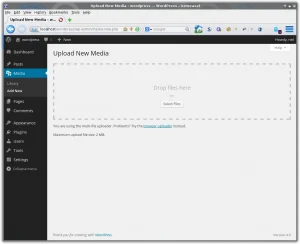
Images and other permitted content may be uploaded by either navigating to their directory, on the local computer, and dragging them into the window, or by clicking on the Select Files link to navigate the local computer to find and select the media to be uploaded.
There is a restriction placed on the size of the files which may be uploaded.

Adding and editing images is similar, in regards the form layout.
An existing entry may be edited by clicking on its thumbnail.
As shown above an image file shows the image for review, with details of the title and description to be completed on the right.
The file name to be used should reflect the purpose of the image. an image which is simply the name given by the camera, for example P1042344.jpg won’t promote itself. Whilst an image named caversham-bridge-reading.jpg will have more relevance and likely to be indexed and shown in an image search.
The alt text field is important regards search engine optimisation. Naturally described titles are good for SEO.
The alignment of the image may be configured: left, right, centre and none. If you left or right align the textual content will set to the other side of the image and flowing around and underneath. If this text content is too short then the browser will attempt to add subsequent content alongside until the bottom of the image is reached.


