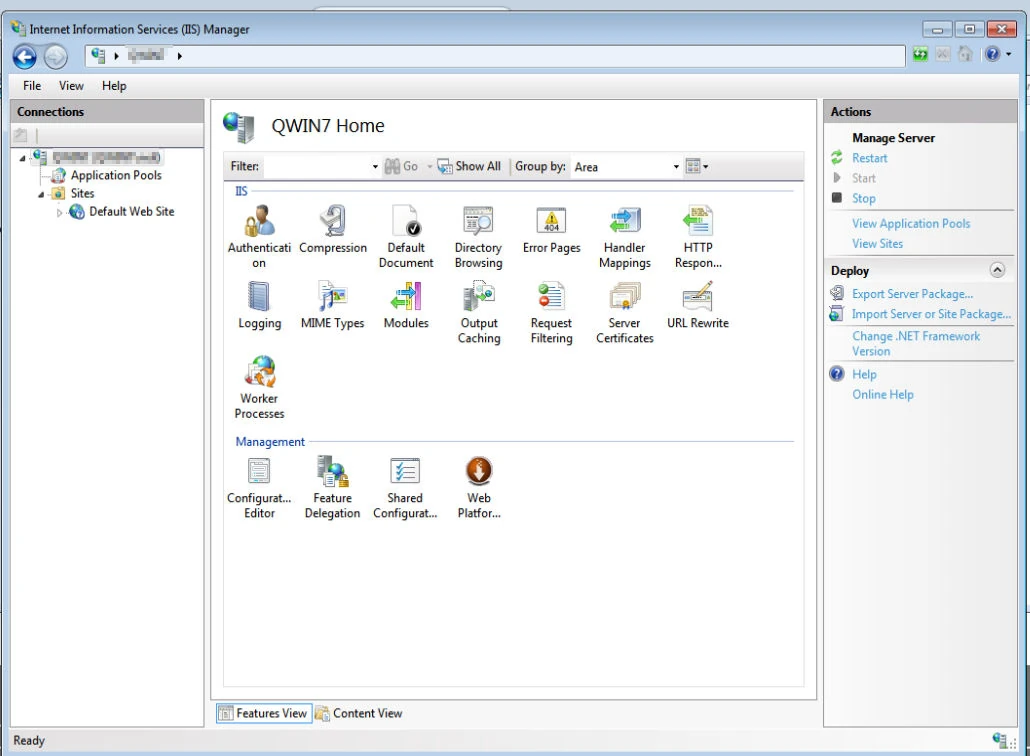
By default Windows 7 IIS is missing the asp.net features, shown above the IIS section in the control panel
The control panel is shown below with only the IIS options and Management options.
To add the asp.net features. Begin by opening the control panel and selecting from the Programs section the option Turn Windows features on and off.

Click on the checkbox for ASP.NET.

There’s a dialogue window confirming that the amendment is taking place:
Please wait while Windows makes changes to features. This may take several minutes.
You may find that this takes a few minutes. Wait whilst the dialogue completes.
I have read that IIS is to be restarted for the change to show. However, for me it was sufficient to close the management window and reopen it once more.
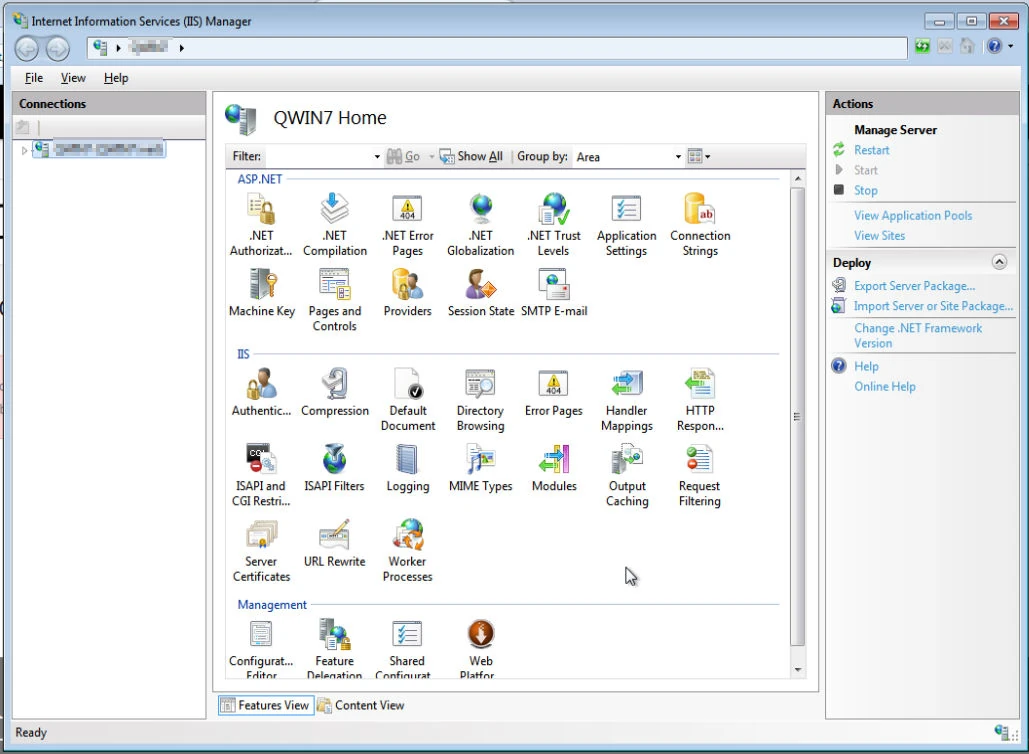
Whilst the control panel ASP.NET section is missing by default its easy to add it in, following the steps above beginning with the control panel.


