Whilst editing WordPress posts and pages the usual icons at the top of the page and in the popup bar above the currently focused block are showing as text, not as the icons.
I was seeing the action links as text not as icons.
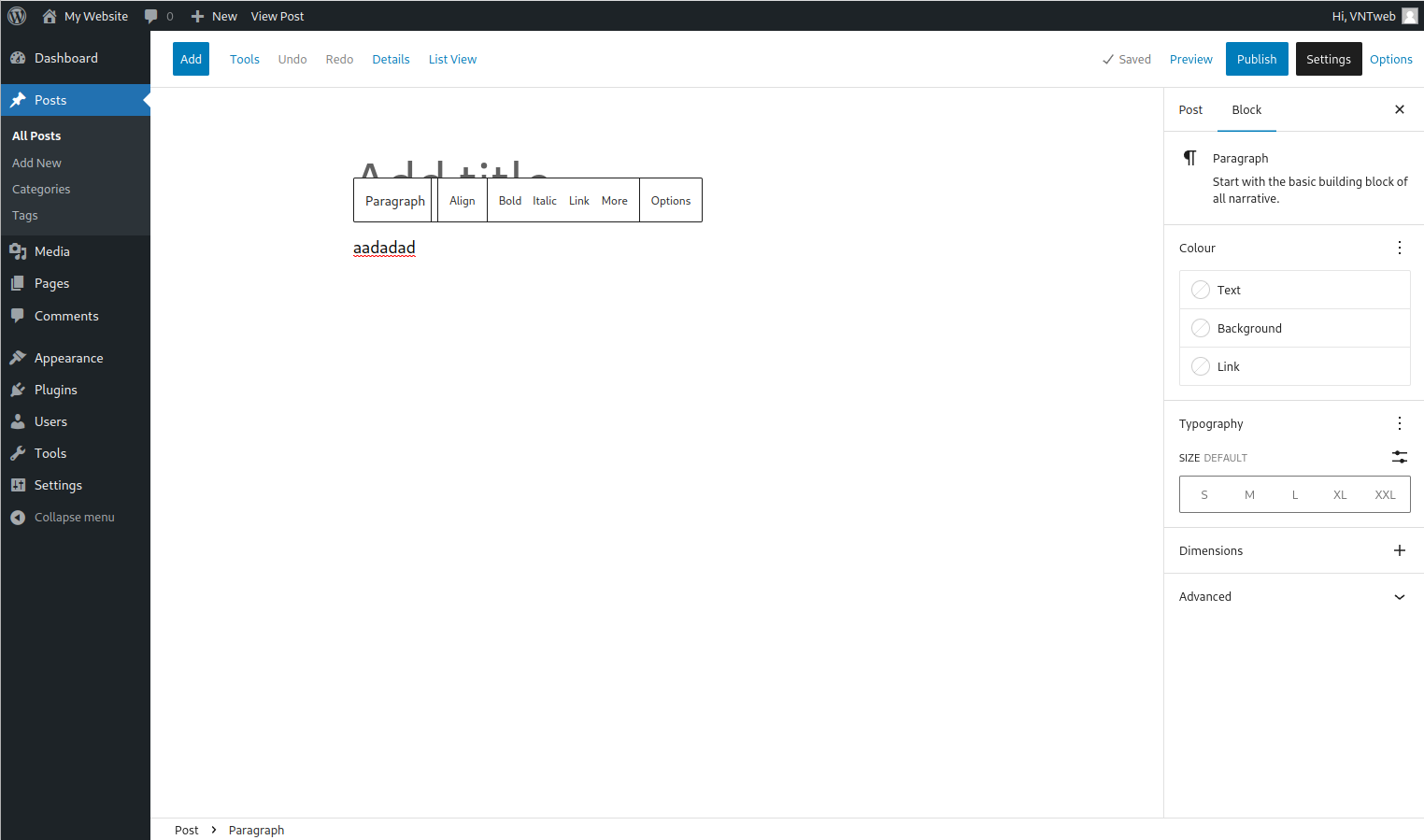
Shown above is the situation whilst editing a post. the action links across the top are all showing as text. It’s similar to when an image can’t be found and the alt text is taken instead.
To begin correcting the issue click on the Options link at the top right corner
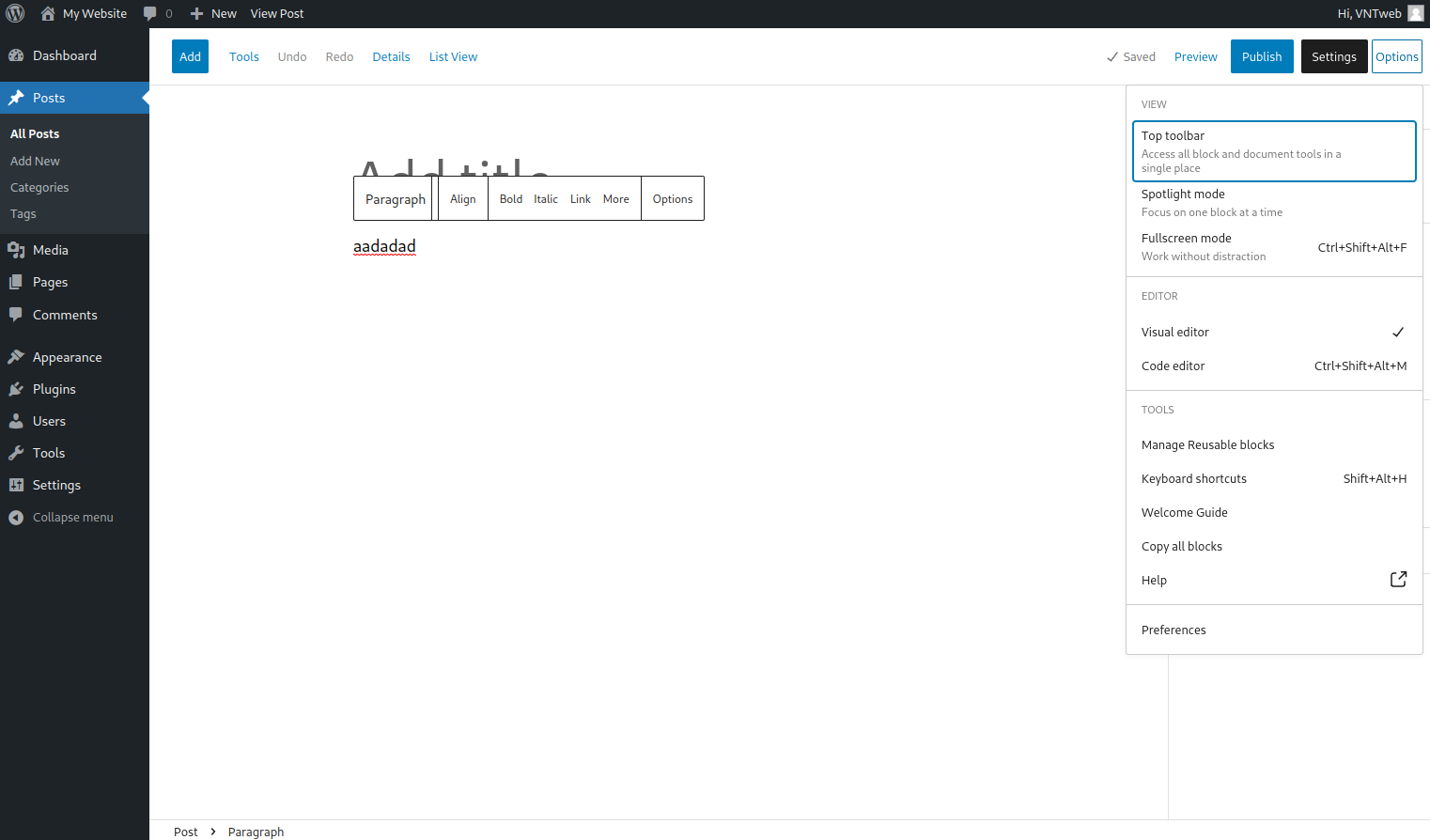
At the right hand side of the page the popup giving a number of presentation options is given.
Click on the last item Preferences to show a popup window.

The preferences popup window has a number of items to configure. Of interest on this occasion are those under the appearance section of the General tab.

Disable the option for Show button text labels and close the popup window.

And finally back to our normal view when editing a post. Here the actions across the top of the page are showing as icons. As is the popup action bar above the selected block.


