How can I remove the Netflix entry at the top of the Windows 10 Start menu?
Following an update of Windows 10 the Start menu was showing an installer for Netflix at the top of the list of apps.

Wishing to only have the minimum of entries visible I was interested in removing this item.
I right clicked on the Netflix entry to see what options I might be given.

As shown above Options available are
- Don’t show this suggestion
- Turn off all suggestions
Preferring to hide all possible entries I opted for the Turn off all suggestions.
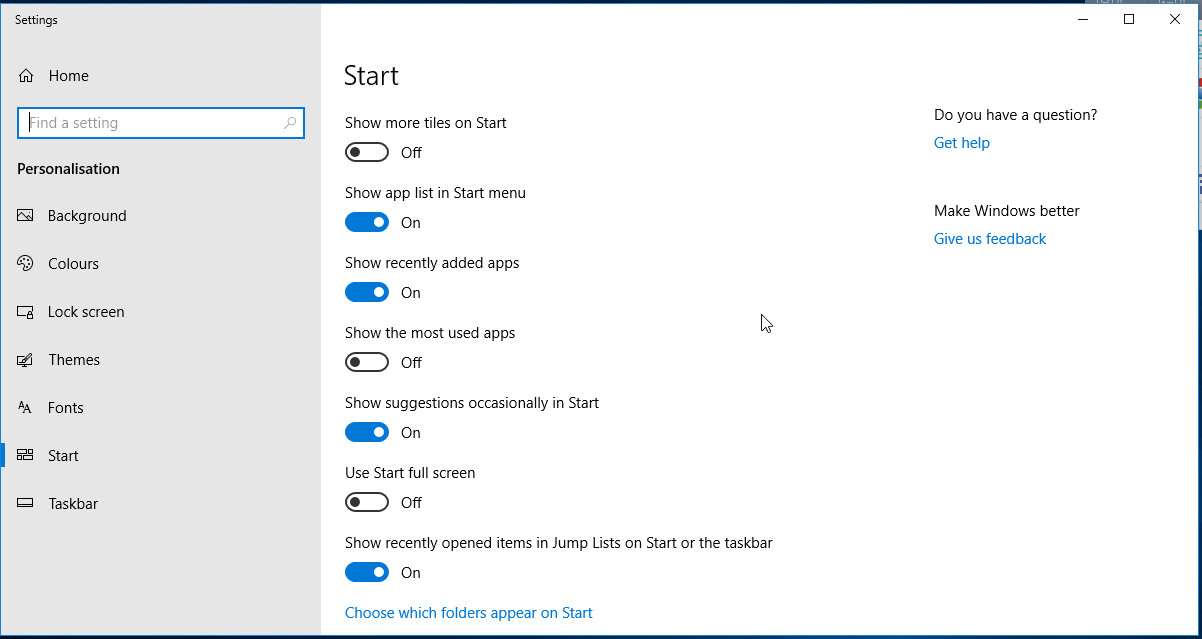
Clicking on the link showed the personalisation settings.
On this screen I turned off the option to Show suggestions occasionally in Start.


