Following the recent update to Opera Developer (25.0.1583.1) the fonts rendered both inside the browser and on the tabs was showing as without anti-aliasing.
Reviewing and changing the font settings of the browser made no improvement to the font rendering.
The configuration of the Fonts under the KDE System Settings was considered.
The Font setting is configured on the page
System Settings >> Application Appearance >> Fonts
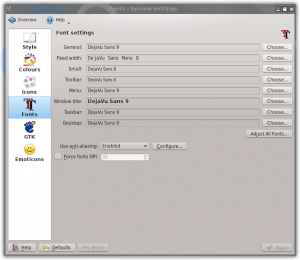
The font set was Dejavu Sans.
At the bottom there was the option to Use anti-aliasing. This was set to System Settings. Changing this to Enabled and restarting the Opera browser resolved the font rendering making it much more appealing and easier to read.


