If you are writing a document referring to content in a hidden window below which you may wish to read and review then it will be necessary to move the top window out of the way.
The traditional option is to move or minimise the active window to access the hidden window below.
This can become cumbersome, constantly moving the window.
The KDE Plasma desktop environment offers shading for the title bars.
The double click on the title bar can be set to hide the remainder of the window to leave just the title bar.

Configure the KDE plasma desktop to shade the title bars on double click within the System Settings.
Access the system settings via the menu selection in the bottom left corner of the menu bar.
Select either from the favourites list, or under the Applications>Settings.
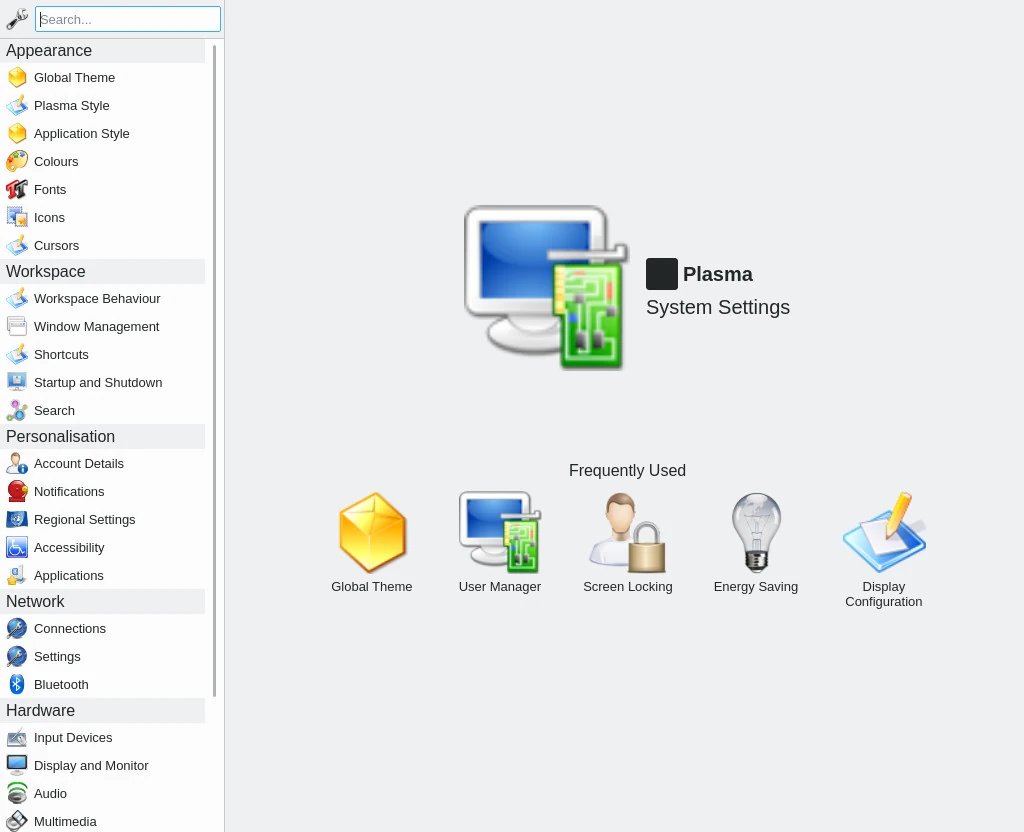
From the left menu select Window Management from the Workspace group.
On this page from the left menu select Window Behaviour and from the tabs Titlebar Actions.
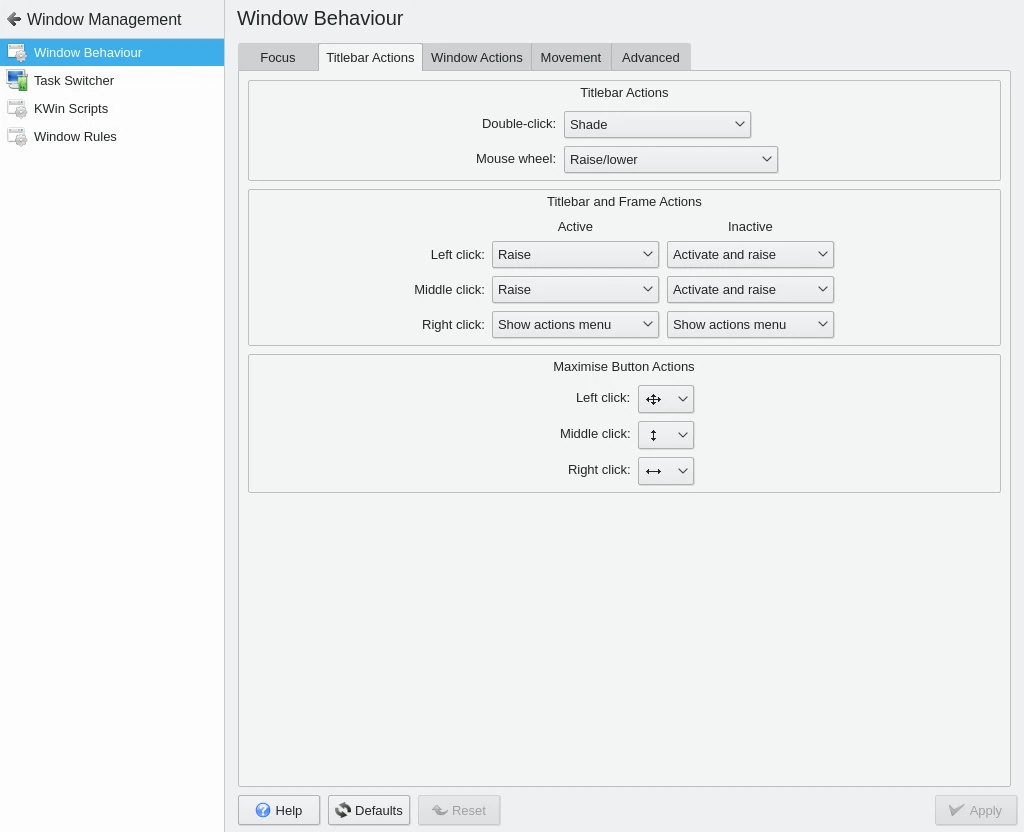
From the top Titlebar Actions section chose Shade from the dropdown list of Double-click actions.
Click on Apply in the bottom corner to finish.
When you double click on the window title bars the window will shade to show just the title bar.


