If you have an old website domain and wish to redirect visitors to your new domain, this can be achieved using an htaccess file.
.htaccess is a text file which is located in the root of your website. The lading full-stop denotes a hidden file.
You may be able to edit/create the file through your website hosting control panel. Look for the section associated with File Management.Then navigate to the root of the website, there maybe a directory labelled as public_html.
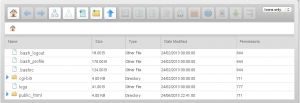
Edit the .htaccess file and save.

Alternatively the file can be edited via FTP, using a client such as Filezilla to transfer the file. If need be login to your control panel and enable FTP for a short while, then connect to the server and download the existing .htaccess file, if one exists.
The file should be edited using a simple text editor, such as Notepad, on Windows. Or you may choose to use an HTML editor, such as Bluefish or Geany.
Two common redirects employed are to:
- redirect from an old domain to a new domain
- redirect from the non-www version of the domain to the www version.
Redirect from Old to New Website
The redirect can be used to re-point your old website to your new one. Or if you have the .co.uk and .com domains one can be pointed to the other, .co.uk to .com for example.
RewriteEngine on
RewriteCond %{HTTP_HOST} ^mydomain.co.uk [NC,OR]
RewriteCond %{HTTP_HOST} ^www.mydomain.co.uk [NC]
RewriteRule ^(.*)$ http://mydomain.com/$1 [L,R=301,NC]
In the above example replace mydomain with your actual domain name.
Redirect to WWW Version of Website
It is considered to be good SEO practice not to have duplicate website pages. One cause of this is the two versions of the website: with and without www.
To create only one version of a website add a redirect to the .htaccess file pointing the non-www variant to the www version.
Options +FollowSymLinks
RewriteEngine on
RewriteCond %{HTTP_HOST} ^mydomain.co.uk [NC]
RewriteRule ^(.*)$ http://www.mydomain.co.uk/$1 [L,R=301]
In the above example replace mydomain with your actual domain name.
Precautions
The .htaccess method of browser redirection requires a website hosted with Apache on a Linux server.
If the file already exists with content it is better to seek advice before making changes.


