Interested in taking a look at an early release for the Ubuntu Phone OS, I found guides on the Internet for installing the Ubuntu Phone OS and for Rooting an HTC Desire phone.
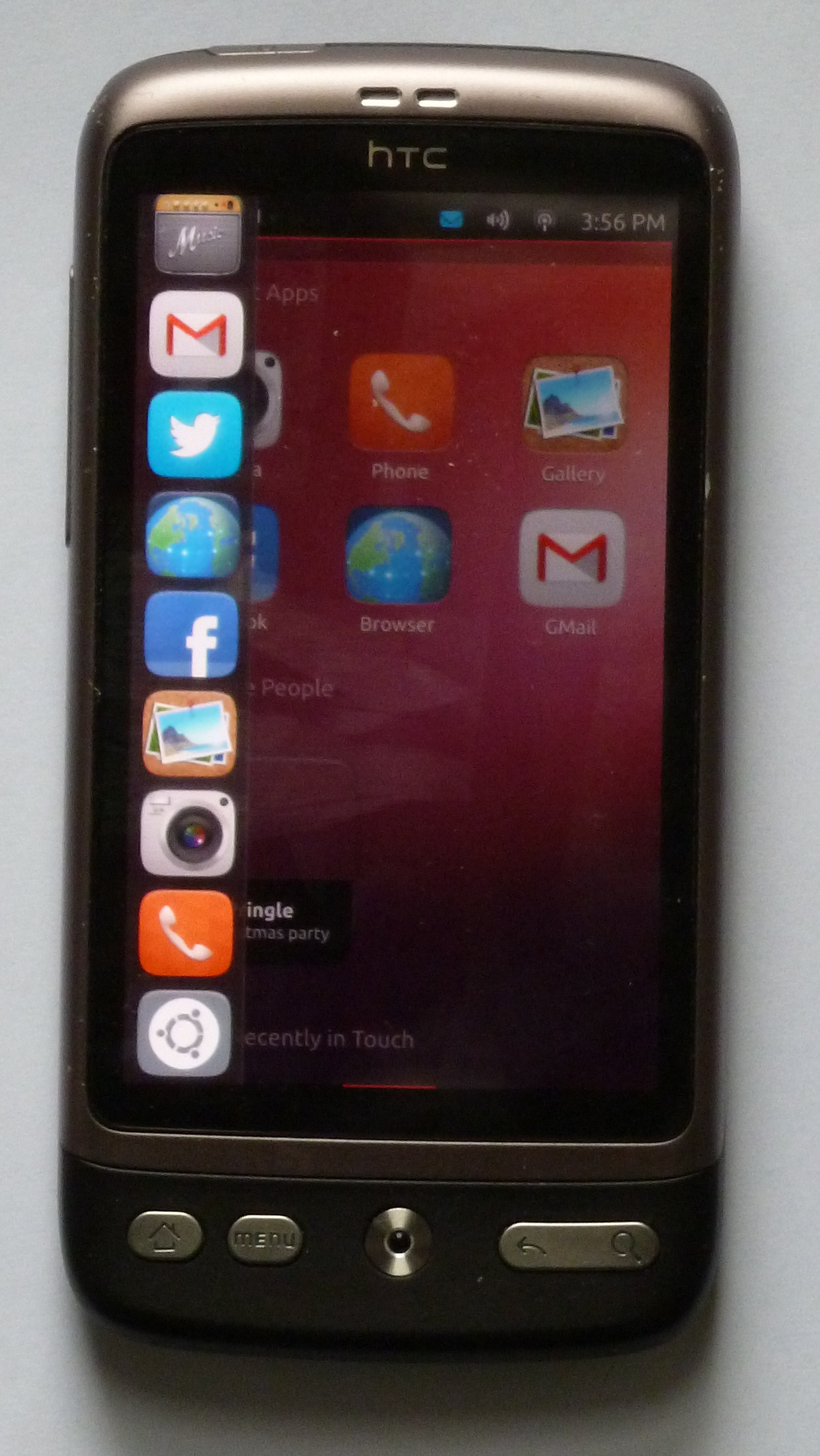
The phone needed to be rooted too! This allowed me to have a look at rooting an Android phone. I had shied away from rooting a phone before, not wanting to modify a phone which was in general use.
The phone to be used was an old HTC Desire. It had received a couple of updates but was then deemed to be too limited on memory to take further updates.
The steps performed here were made on a computer running Debian Linux.
Rooting HTC Desire
To root the HTC Desire phone I used Revolutionary followed by Superuser. There are many guides to be found on the Internet regards using Revolutionary. Before starting you will need to know the hboot and serial numbers. The hboot number is shown when the phone is started in recovery mode (holding down the down volume key and pressing the power button, when the phone is off). The serial number is under the battery.
Following the instructions, I started the process by running the command
./revolutionary
The phone was detected and I was able to enter the key code obtained through the website.
Unfortunately when the phone rebooted I lost my screen display. The screen became corrupted and required a reboot to clear. I was therefore unable to see any further messages or tasks needed.
I don’t believe the screen issue was related to the actions taken. I have since had a couple of screen crashes when unplugging a USB drive. Udisks currently taken from experimental following some other experimenting.
Forced to restart the computer I tried the revolutionary rooting once again, this time more successfully.
I removed the micro SD card from the phone and added the Superroot zip file
With the card back in the phone I booted into recovery mode to flash the phone with Superroot. Whilst the rest of the navigation was made with the volume keys and the power button to select the menu items I found that in order to select the menu option to install from the SD card and to proceed with the flashing the HTC the navigation was required, clicking on this rather than the power button to make a selection.
Installing Ubuntu Phone
I used gparted to format the micro SD card. allocating 300MB for the FAT 32 partition (primary) and the remainder of the 4GB as a secondary partition.
Despite being Linux Android is unable to use EXT4 on the SD card (!). Hence the card needs to have two partitions. One for the zip file and the remainder for Ubuntu Phone. I initially made the mistake of setting the whole SD card as one EXT4 partition.
I configured the FAT32 partition as primary and the EXT 4 partition as secondary.
Following the guide for installing Ubuntu Phone I found that when I needed to edit the ubuntu-session file the EXT4 partition had become inaccessible. I re-booted my computer to gain access to this partition. Changing the GRID_UNIT_PX value from 18 to 12 makes the screen fit to the phone.
ubuntu-session file is at /ubuntu/usr/bin/ubuntu-session. Looking at the daily builds I note that th configuration for this parameter has changed.
UBUNTU Phone OS
The version I downloaded initially was dated 21st February. I found this version installed (3.2.0p1) to be an early release. For anyone who ha used Ubuntu this should be familiar and easy to navigate and use. Some of the screens are static rather than performing the operation, for example the camera.
HTC Desire
When it was launched the HTC Desire, as used in the preview, was probably the best Android phone around. Its limitation is the on-board RAM. This limitation soon became apparent, preventing the OTA upgrade of the device from Froyo to Gingerbread.
The device is showing its limitations, its below spec for both the Ubuntu Phone Os and the new FireFox Os.
References
Rooting phone
revolutionary.io
xda-developers – revolutionary and superroot
Installing Ubuntu Phone OS
xda-developers – evervolv Ubuntu Touch


